 |
Motor de Búsqueda de Datasheet de Componentes Electrónicos |
|
|
Motor de Búsqueda de Datasheet de Componentes Electrónicos |
|
2-RK Datasheet(PDF) 6 Page - TEKTRONIX, INC. |
|
|
|||||||||||||||||||||||||||||
2-RK Datasheet(HTML) 6 Page - TEKTRONIX, INC. |
|
|
6 / 30 page 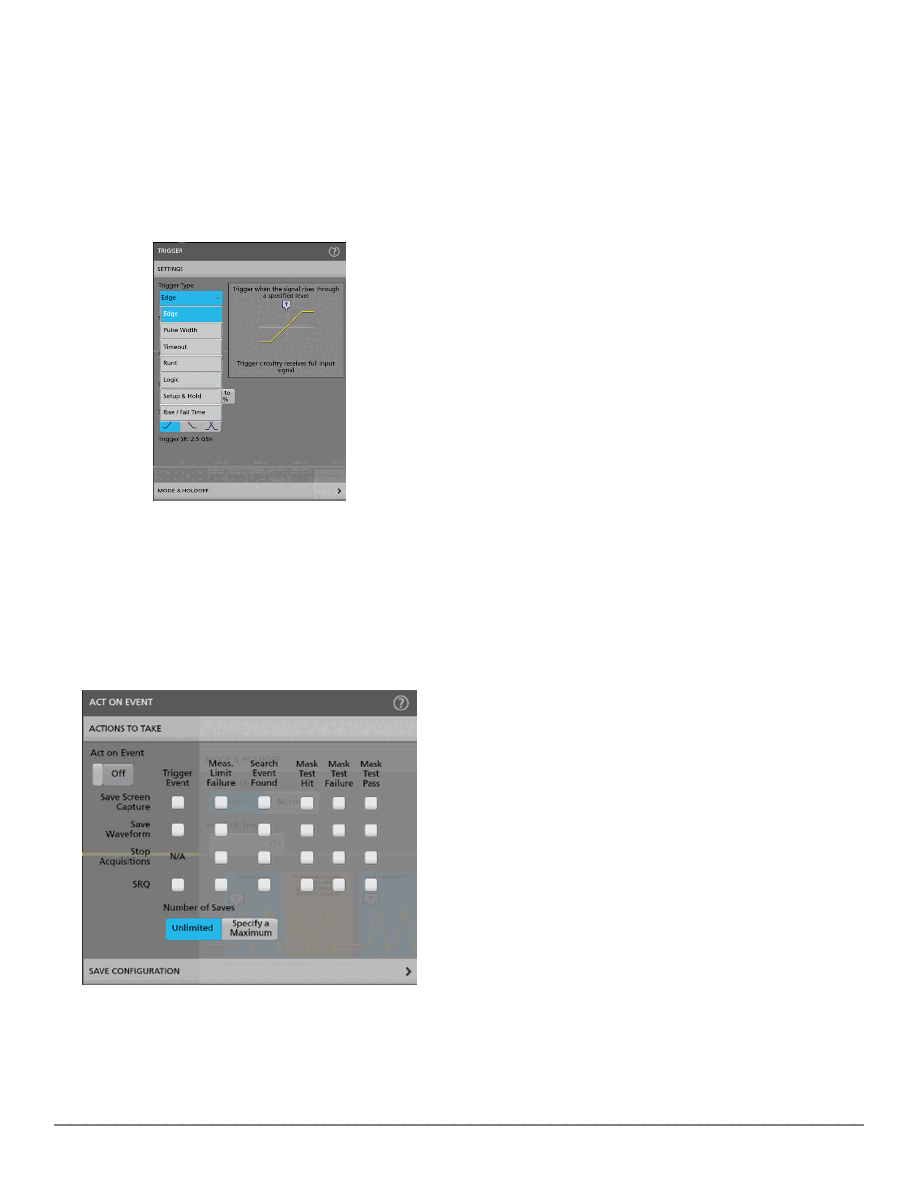 Triggering Discovering a device fault is only the first step. Next, you must capture the event of interest to identify root cause. The 2 Series MSO provides a complete set of advanced triggers, including runt, logic, pulse width, triggers, timeout, rise/fall time, setup and hold, serial packet, and parallel data that can be used to capture complex infrequent events. Configuration menus are accessed by simply double tapping on the item of interest. In this case trigger badge was tapped to open trigger menu Act on event Act on event capability built into the instrument enables users to setup the oscilloscope to respond by performing certain actions when a specified condition such as trigger event, measurement limit failure, search event or mask test events occur. This enables easy capture and analysis of rarely occurring events. An oscilloscope can be automated using the Act on event feature when a certain event occurs Navigation and search With up to 10 M point record length, you can capture many events of interest, even thousands of serial packets in a single acquisition, while maintaining high resolution to zoom in on fine signal details. Finding events of interest in a long waveform record can be time consuming without the right search tools. The search feature allows you to automatically search through your acquisition for user-defined events. All occurrences of the event are highlighted with search marks for easy navigation. Search types include edge, pulse width, timeout, runt, window, logic, setup and hold, rise/fall time, and parallel/serial bus packet content. You can also quickly jump to the minimum and maximum value of search results. Callouts Documenting test results and methods are critical when sharing data across a team, recreating a measurement later or delivering a customer report. With a few taps on the screen, you can create as many custom callouts as needed, enabling you to document the specific details on the waveforms. With each callout, you can customize the text, location, color, font size, and font. 2 Series MSO Datasheet www.tek.com 6 |
|
Enlace URL |
| ¿ALLDATASHEET es útil para Ud.? [ DONATE ] |
Todo acerca de Alldatasheet | Publicidad | Contáctenos | Política de Privacidad | Enlace a la hoja de datos | Intercambio de Enlaces | Lista de Fabricantes All Rights Reserved©Alldatasheet.com |
| Russian : Alldatasheetru.com | Korean : Alldatasheet.co.kr | Spanish : Alldatasheet.es | French : Alldatasheet.fr | Italian : Alldatasheetit.com Portuguese : Alldatasheetpt.com | Polish : Alldatasheet.pl | Vietnamese : Alldatasheet.vn Indian : Alldatasheet.in | Mexican : Alldatasheet.com.mx | British : Alldatasheet.co.uk | New Zealand : Alldatasheet.co.nz |
|
Family Site : ic2ic.com |
icmetro.com |
 Mexican ▼
 English
 Chinese
 German
 Japanese
 Russian
 Korean
 Spanish
 French
 Italian
 Portuguese
 Polish
 Vietnamese
 Indian
 Mexican
 British
 New Zealand


