 |
Motor de Búsqueda de Datasheet de Componentes Electrónicos |
|
|
Motor de Búsqueda de Datasheet de Componentes Electrónicos |
|
MPZ2012S601A Datasheet(PDF) 7 Page - Texas Instruments |
|
|
|||||||||||||||||||||||||||||
MPZ2012S601A Datasheet(HTML) 7 Page - Texas Instruments |
|
|
7 / 28 page 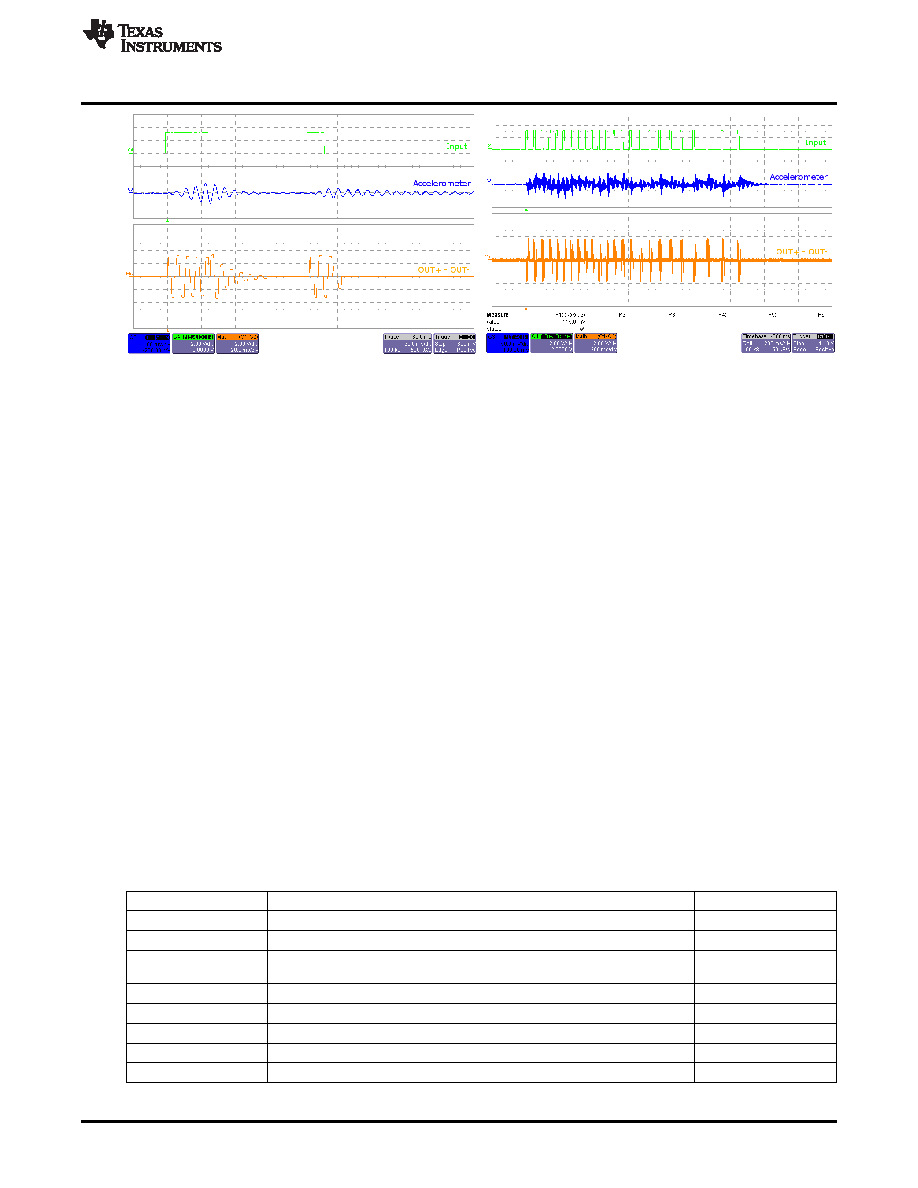 www.ti.com Hardware Configuration Figure 6. LRA Click and Release Effect Figure 7. LRA Scroll Wheel Effect 2.2.5 Mode 4 – ERM Clicks Mode 4 showcases ERM clicks and double clicks. Similarly to the LRA, compare the click with braking and without braking and notice the sharper feel with braking. 2.2.6 Mode 5 – Concentration Game Mode 5 is a game that incorporates the various LRA and ERM effects. This can be used to demonstrate haptics in a real application. To begin playing Concentration: 1. Press any of the large effect buttons. 2. The game will then count down. 3. Once the countdown completes, a button will light and an effect will play. 4. Repeat the pattern by pressing the same button. 5. After each successfully repeated pattern, the board will repeat the same pattern and add one additional button to the sequence. 3 Hardware Configuration The DRV2603EVM-CT is very flexible and can be used to completely evaluate the DRV2603. The following sections list the various hardware configurations. 3.1 Input and Output Overview The DRV2603EVM-CT allows complete evaluation of the DRV2603 though test points, jacks and connectors. Table 2 gives a brief description of the hardware. Table 2. Hardware Overview Signal Description I/O PWM External DRV2603 PWM input Input / Observe EN External DRV2603 enable control Input / Observe Filtered output test points for observation, connect to oscilloscope or OUT+ / OUT- Output measurement equipment OUT Unfiltered output terminal block, connect to actuator Output USB USB power (5V) Input VBAT External Supply Power (2.5V-5.2V) Input SBW MSP430 programming header Input / Output I 2C MSP430 I 2C™ bus Input / Output 7 SLOU340A – May 2012 – Revised May 2012 DRV2603 ERM/LRA Haptic Driver Evaluation Kit Submit Documentation Feedback Copyright © 2012, Texas Instruments Incorporated |
|
Enlace URL |
| ¿ALLDATASHEET es útil para Ud.? [ DONATE ] |
Todo acerca de Alldatasheet | Publicidad | Contáctenos | Política de Privacidad | Enlace a la hoja de datos | Intercambio de Enlaces | Lista de Fabricantes All Rights Reserved©Alldatasheet.com |
| Russian : Alldatasheetru.com | Korean : Alldatasheet.co.kr | Spanish : Alldatasheet.es | French : Alldatasheet.fr | Italian : Alldatasheetit.com Portuguese : Alldatasheetpt.com | Polish : Alldatasheet.pl | Vietnamese : Alldatasheet.vn Indian : Alldatasheet.in | Mexican : Alldatasheet.com.mx | British : Alldatasheet.co.uk | New Zealand : Alldatasheet.co.nz |
|
Family Site : ic2ic.com |
icmetro.com |
 Mexican ▼
 English
 Chinese
 German
 Japanese
 Russian
 Korean
 Spanish
 French
 Italian
 Portuguese
 Polish
 Vietnamese
 Indian
 Mexican
 British
 New Zealand


