 |
Motor de Búsqueda de Datasheet de Componentes Electrónicos |
|
|
Motor de Búsqueda de Datasheet de Componentes Electrónicos |
|
E53-R Datasheet(PDF) 23 Page - Omron Electronics LLC |
|
|
|||||||||||||||||||||||||||||
E53-R Datasheet(HTML) 23 Page - Omron Electronics LLC |
|
|
23 / 36 page 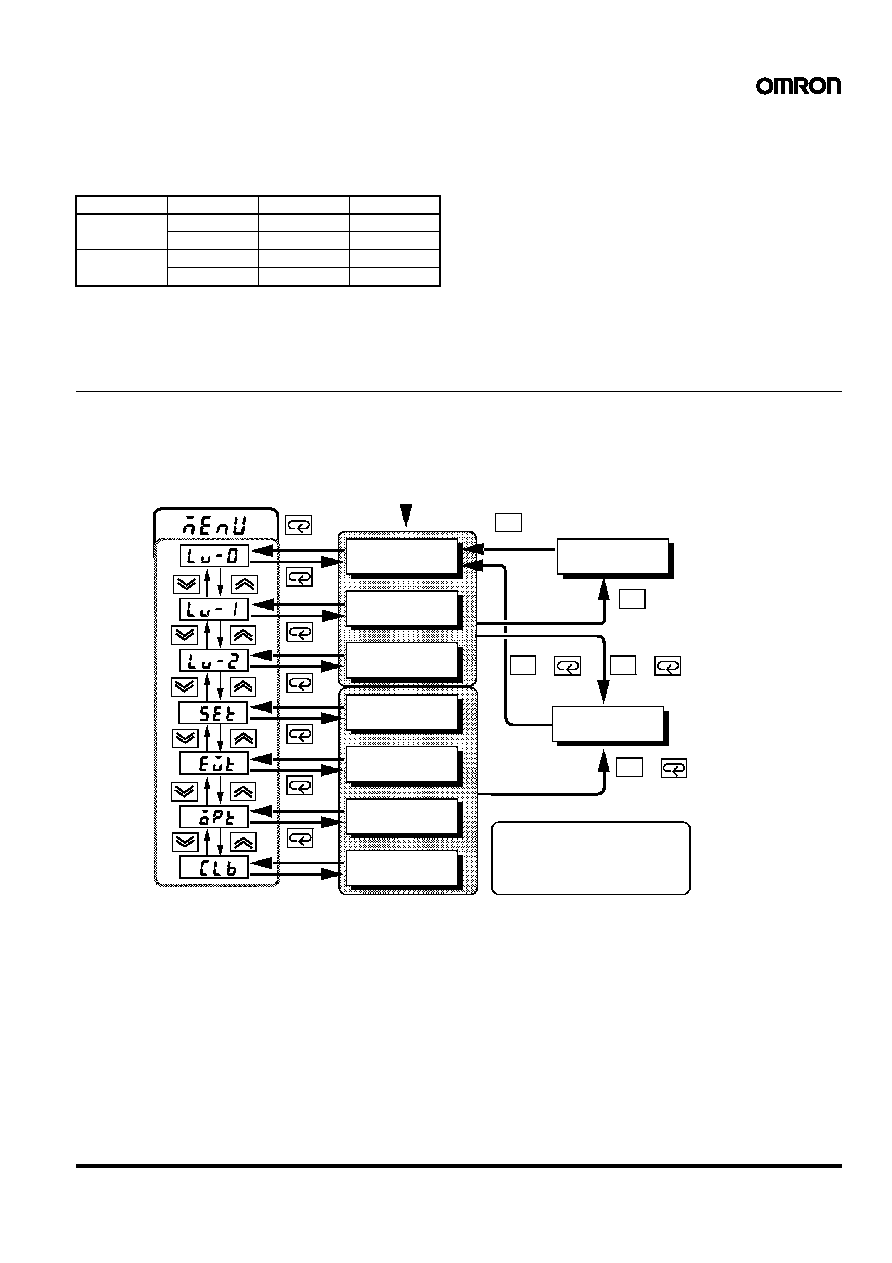 Digital Controller E5AK/E5EK 23 ■ Close in Alarm/Open in Alarm When the Controller is set to “close in alarm,” the status of the alarm output function is output as it is. When set to “open in alarm,” the sta- tus of the alarm output function is output inverted. Alarm type and close in alarm (normally open)/open in alarm (nor- mally close) can be set independently from each alarm. Close in alarm/Open in alarm is set in the “alarm 1 to 3 open in alarm” parameters (setup mode). Factory setting is “close in alarm” [ n-o ]. ■ Parameter Operation List Switching to modes other than manual or protect mode is carried out using the mode selection in the menu display. The figure below shows all parameters in the order that they are displayed. Some parameters are not displayed depending on the protect mode setting and conditions of use. ■ Parameters and Menus Note: For more details on the functions of each part and display contents, refer to the E5AK/E5EK User’s Manual (H83/H85). All functions selected with the Digital Controller in setup or expansion mode or all optional functions of the Digital Controller may not be displayed. Protect Mode Limits use of the menu and A/M Keys. The protect function prevents unwanted modification of parameters and switching between the auto and manual operation. Manual Mode The Controller can be switched to manual operation. The manipulated variable can be manipulated manually only in this mode. Condition Alarm Output Output LED Close in alarm ON ON Lit OFF OFF Not lit Open in alarm ON OFF Lit OFF ON Not lit A/M A/M A/M A/M A/M ++ + 1 second min. Level 0 mode Level 1 mode Level 2 mode Setup mode Expansion mode Option mode Calibration mode 1 second min. Manual mode Protect mode 1 second min. 1 second min. 1 second min. 1 second min. 1 second min. Power ON 1 second min. 1 second min. 1 second min. 1 second min. 1 second min. Parameters in a mode can be switched by the Display Key. The parameter following the last param- eter is the top parameter. Note: The control of the Digital Controller is reset when the Digital Controller is in setup, expansion, option, or calibration mode, in which case the control and auxiliary outputs are OFF. The reset condition will be canceled when the Digital Controller is in any mode other than the above. |
|
Enlace URL |
| ¿ALLDATASHEET es útil para Ud.? [ DONATE ] |
Todo acerca de Alldatasheet | Publicidad | Contáctenos | Política de Privacidad | Enlace a la hoja de datos | Intercambio de Enlaces | Lista de Fabricantes All Rights Reserved©Alldatasheet.com |
| Russian : Alldatasheetru.com | Korean : Alldatasheet.co.kr | Spanish : Alldatasheet.es | French : Alldatasheet.fr | Italian : Alldatasheetit.com Portuguese : Alldatasheetpt.com | Polish : Alldatasheet.pl | Vietnamese : Alldatasheet.vn Indian : Alldatasheet.in | Mexican : Alldatasheet.com.mx | British : Alldatasheet.co.uk | New Zealand : Alldatasheet.co.nz |
|
Family Site : ic2ic.com |
icmetro.com |
 Mexican ▼
 English
 Chinese
 German
 Japanese
 Russian
 Korean
 Spanish
 French
 Italian
 Portuguese
 Polish
 Vietnamese
 Indian
 Mexican
 British
 New Zealand


