 |
Motor de Búsqueda de Datasheet de Componentes Electrónicos |
|
|
Motor de Búsqueda de Datasheet de Componentes Electrónicos |
|
E53-R Datasheet(PDF) 24 Page - Omron Electronics LLC |
|
|
|||||||||||||||||||||||||||||
E53-R Datasheet(HTML) 24 Page - Omron Electronics LLC |
|
|
24 / 36 page 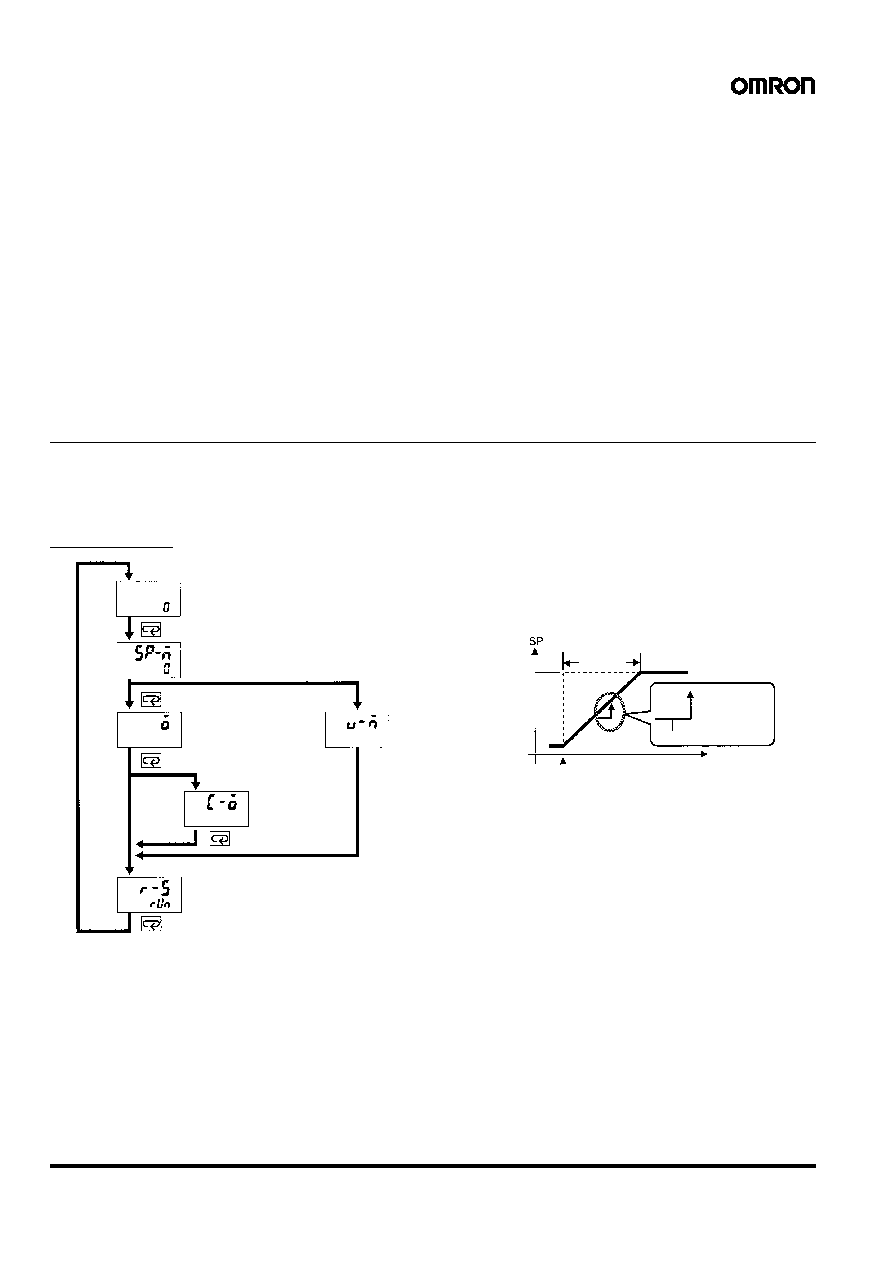 24 Digital Controller E5AK/E5EK Level 0 Mode Set the Controller to this mode during normal operation. In this mode, change the set point during operation, and start or stop Controller operation. The process value, ramp SP, and manipulated variable can only be monitored in this mode. Level 1 Mode The main mode for adjusting control. In this mode, execute AT (auto-tuning), and set alarm values, the control pe- riod, and PID parameters. Level 2 Mode The auxiliary mode for adjusting control. In this mode, set the parameters for limiting the manipulated variable and set point, switch between the remote and local modes, switch between the SP mode, and set the loop break alarm (LBA), alarm hysteresis, and the digital filter value of inputs. Setup Mode The mode for setting the basic specifications. In this mode, set parameters that must be checked or set before operation such as the input type, scaling, output assignments and direct/reverse operation. Expansion Mode The mode for setting expanded functions. In this mode, set ST (self-tuning), SP setting limiter, select advanced PID or ON/OFF control, specify the standby sequence resetting method, and set the time for automatic return to the monitoring display. Option Mode The mode for setting option functions. Select this mode only when the Option Unit is set in the Controller. In this mode, set the communications conditions, transfer output and event input parameters to match the type of Option Unit set in the Controller. Heater burnout latch function, position-proportional travel time, and remote SP scaling parameter are also located in this mode. Calibration Mode The mode for calibrating inputs and transfer output. When calibrating input, the selected input type is calibrated. Whereas, transfer output can be calibrated only when the Communications Unit (E53-CKF) is set in the Controller. ■ Parameter Operation Refer to the E5AK/E5EK User’s Manual (H83/H85) for each parameter and the calibration mode in detail. Refer to page 9 for the setting in detail. Level 0 Mode PV/SV The process value is displayed on the No.1 display and the set point is displayed on the No.2 display. When the multi-SP function is in use, the value of whichever is set, set point 0 or 1, is linked. Remote SP Monitor Monitors remote SP in the local SP mode. Set Point During SP Ramp Monitors the set point when the SP ramp function is used. SP Ramp With the SP ramp function, the Controller operates according to the value (set point during SP ramp) limited by a change rate, instead of the changed set point when the set point is changed. The interval in which the set point during SP ramp is limited is referred to as the “SP ramp.” The change rate during the SP ramp is specified by the “SP ramp set value” and “SP ramp time unit” parameters. At the “SP ramp set value” default “0,” the SP ramp function is disabled. The set point changing in SP ramp can be monitored in the “Set point during SP ramp” parameter (level 0 mode). Process value PV/SV (local SP/remote SP) Set point during SP ramp For E5 @K-PRR2 MV monitor (heat) Run/Stop (Heat/Cool) Manipulated variable Valve opening monitor MV monitor (cool) Manipulated variable Set point SP ramp SP ramp time unit Switching point Time SP ramp set value |
|
Enlace URL |
| ¿ALLDATASHEET es útil para Ud.? [ DONATE ] |
Todo acerca de Alldatasheet | Publicidad | Contáctenos | Política de Privacidad | Enlace a la hoja de datos | Intercambio de Enlaces | Lista de Fabricantes All Rights Reserved©Alldatasheet.com |
| Russian : Alldatasheetru.com | Korean : Alldatasheet.co.kr | Spanish : Alldatasheet.es | French : Alldatasheet.fr | Italian : Alldatasheetit.com Portuguese : Alldatasheetpt.com | Polish : Alldatasheet.pl | Vietnamese : Alldatasheet.vn Indian : Alldatasheet.in | Mexican : Alldatasheet.com.mx | British : Alldatasheet.co.uk | New Zealand : Alldatasheet.co.nz |
|
Family Site : ic2ic.com |
icmetro.com |
 Mexican ▼
 English
 Chinese
 German
 Japanese
 Russian
 Korean
 Spanish
 French
 Italian
 Portuguese
 Polish
 Vietnamese
 Indian
 Mexican
 British
 New Zealand


